
 NZ
NZ
RoyalXO App
The RoyalXO PWA mobile app can be installed in less than 30 seconds from Chrome or Safari. It delivers the full game library and some free spins just for installing.


RoyalXO doesn’t have a native app on Google Play or the App Store, and honestly, you don’t need one. Instead, it runs on a PWA (Progressive Web App), which you install straight from your browser in under 30 seconds. Think of it like pinning a shortcut to your home screen, except it behaves exactly like a real app.
Even better? Installing the PWA earns you free spins instantly with no deposit needed. It’s like getting a welcome gift just for showing up. This guide covers everything, so you know exactly what to expect before you dive in.
Mobile App for Android
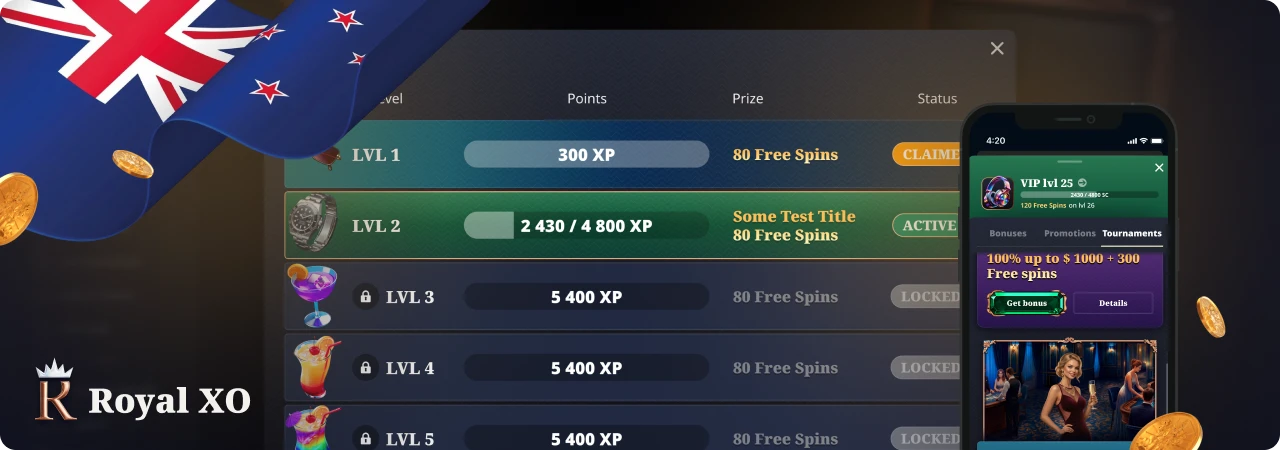
There’s no native RoyalXO Android casino app on Google Play. Instead, you set up a PWA from Chrome, without the need for APK hunting. The app gets pinned to your home screen and allows full access to the casino, including live dealer games and the cashier.
How to Download and Install
RoyalXO doesn’t have a dedicated Android app, so don’t bother checking the Google Play Store or searching for how to download the RoyalXO APK file. What you get instead is a PWA that installs directly from your browser and works just as well.
Here’s how to install it:
- Open Chrome on your Android device and access the RoyalXO website.
- Tap the three-dot menu icon in the top-right corner of the browser.
- Choose the option “Add to Home Screen” from the drop-down.
- Tap Add to confirm, and you’ll receive an instant notification confirming the app is installed. Check your home screen – you’ll likely find the RoyalXO icon there.
The whole process completes quickly with no file downloads or app store needed.
Compatible Devices
For the best experience, your Android device should run the latest version of Android or higher with sufficient RAM. The larger the RAM, the smoother the games are during live casino sessions. Additionally, a stable internet connection is essential. Slow internet can cause significant delays when playing live dealer tables.
Join NowMobile App for iOS
RoyalXO doesn’t have a native iOS app, but the PWA version covers everything you’d expect. You can install it in Safari without the App Store. When you do, you get access to the full game library, bonuses, and other casino features, all optimised for iPhone and iPad screens.
How to Download and Install
RoyalXO doesn’t have a native iOS app, and you can skip the App Store entirely. Instead, you install a PWA directly in Safari, which sits on your home screen and behaves like a regular app without taking up much storage.
Here’s how to get it set up:
- Open Safari on your iPhone or iPad and go to the RoyalXO website.
- Tap the Share button at the bottom of the screen. It looks like a box with an upward-pointing arrow.
- Scroll through the options and tap Add to Home Screen.
- Tap Add in the top-right corner to confirm. The RoyalXO icon appears on your home screen instantly.
The entire process doesn’t take long. There’s no need to try to download the RoyalXO app from the App Store, as there’s no app there at the moment.
Compatible Devices
RoyalXO’s PWA runs smoothly on any recent iPhone or iPad. To get the best gaming experience, you will need sufficient RAM on your device. From testing, iPhone XR and newer devices can stream live casino games without issues. You’ll also need a stable internet connection.
Features of the App
The RoyalXO mobile app has every feature available on the desktop version, as a PWA. Here, you won’t find a diluted mobile experience. From the home screen, you get to access the entire casino and the full banking section.
The app works well on both iOS and Android devices. It loads quickly and streams live casino games without significant delay on a stable connection. You won’t need to keep logging in and out. Moving around is easy, as the left-side menu, game lobby, and cashier all translate well to smaller screens.
Here’s what stands out about the mobile experience:
- You can access the full game library containing all 4,000+ slots, live dealer tables, and other games.
- Instant PWA installation where the entire setup takes a few seconds with no app store or RoyalXO APK required.
- Install and earn free spins. You can claim the app install bonus as soon as you add RoyalXO to your home screen.
- You can make deposits and withdrawals, and manage bonuses, all directly from within the app without switching to a desktop.
- Push notifications: opt in during installation to receive bonus alerts and promotional updates directly on your device.
- Fortune Wheel and Missions are both features that are fully accessible and functional through the mobile interface, not desktop-only.
The PWA also updates automatically, with no manual updates or version management required.
Registration Process via the App
Signing up through the RoyalXO app is identical to the desktop process, with the same steps and the same 2-minute timeframe. New Zealand and NZD come pre-selected, so setup is straightforward from the start. Here’s how to do it from the app:
- Launch the RoyalXO PWA from your home screen and tap “Sign Up” in the top-right corner.
- Enter your email address and create a password. Check the box to receive bonus notifications for promotional updates.
- Confirm your country as New Zealand, select NZD as your currency, and enter your phone number.
- Enter your name, date of birth, and gender to complete your profile.
- Select your preferred welcome bonus from the available options, head to the cashier, deposit the minimum amount required, and start playing.
The whole process takes under two minutes from app launch to first spin.
Mobile Website Version
The mobile browser also lets you easily access RoyalXO without installing a PWA if you don’t want to. The mobile website is fully optimised, unlike a desktop site squeezed onto a small screen.
To access RoyalXO, open Chrome on Android or Safari on iOS, and you’re in. The layout adjusts automatically to whatever screen size you’re using. Their left-hand side menu, game section, and other pages work exactly as they do on desktop.
Here are a couple of things worth knowing about the mobile browser experience:
- The game lobby opens with all 4,000+ titles. The same features available on desktop are also available on mobile. You can filter by category, search by name, and browse by provider. You can enjoy live dealer games over 4G and Wi-Fi connections.
- The cashier works entirely through the browser. You can deposit or withdraw from your account without a limit. You can also select your bonus with no restrictions. Depositing money with Apple Pay works right through the already-installed Safari browser on iOS, which is really handy for iPhone users.
Convenience is the main thing that sets the browser version apart from the PWA. The PWA sits on the home screen and launches more quickly. You need to key in the URL or have a bookmark for the browser version. Frankly, they are the same in effect.
Mobile Games
All games available on the desktop version are available on the mobile app. Absolutely nothing is cut from the library as you play the full catalogue, designed specifically for touchscreens:
| Game Section | Specifics | Example Titles |
|---|---|---|
| Slots | 4,000+ titles across 8 lobby categories, including Bonus Buy and Fast Games | Gates of Olympus Super Scatter, Wild West TRUEWAYS, Sugar Rush 1000, RoyalXO Bonanza |
| Live Dealer | 16 providers and 7 categories | Crazy Time, Lightning Roulette, MONOPOLY Live, Sweet Bonanza Candyland |
| Live Roulette | Multiple variants from classic to speed formats | Gold Vault Roulette, Dynasty Lightning Roulette, Lucky 6 Roulette |
| Live Blackjack | Standard, infinite, and speed table formats | ONE Blackjack 1 & 2, Infinite Free Bet Blackjack, Speed VIP Blackjack |
| Live Baccarat | Largest live category by table count | Dragon Tiger, Super 8 Baccarat, Golden Wealth Baccarat |
| Game Shows | High-energy formats with multipliers and bonus rounds | Funky Time, Mega Wheel, Dream Catcher, Lightning Dice |
Demo mode works on mobile for slots. Live dealer tables require a funded account regardless of device.
Frequently Asked Questions
Is there a RoyalXO application for Android or iOS?
There’s no native app on Google Play or the App Store. RoyalXO uses a PWA instead, and you install it directly from Chrome on Android or Safari on iOS in under 30 seconds. It lands on your home screen and works like a regular app.
Do I get a bonus at RoyalXO for installing the mobile app?
Yes. Install the PWA to receive free spins instantly, with no deposit required. Just add RoyalXO to your home screen, and the bonus activates automatically. It’s the only no-deposit-adjacent offer available to New Zealand players at RoyalXO.
Can I play all games on the RoyalXO app download?
Yes. The full game library is accessible through the mobile app, including all live dealer tables. Nothing gets removed for mobile. Slots have a demo mode available. Live dealer games require a funded account regardless of whether you’re on mobile or desktop.